> ## Documentation Index
> Fetch the complete documentation index at: https://docs.vibeflow.ai/llms.txt
> Use this file to discover all available pages before exploring further.
# Collection Node
> Define database table schemas for your application data
## Overview
The **Collection Node** defines database table schemas. It specifies what data structure your tables will have, including field names, types, and validation rules.
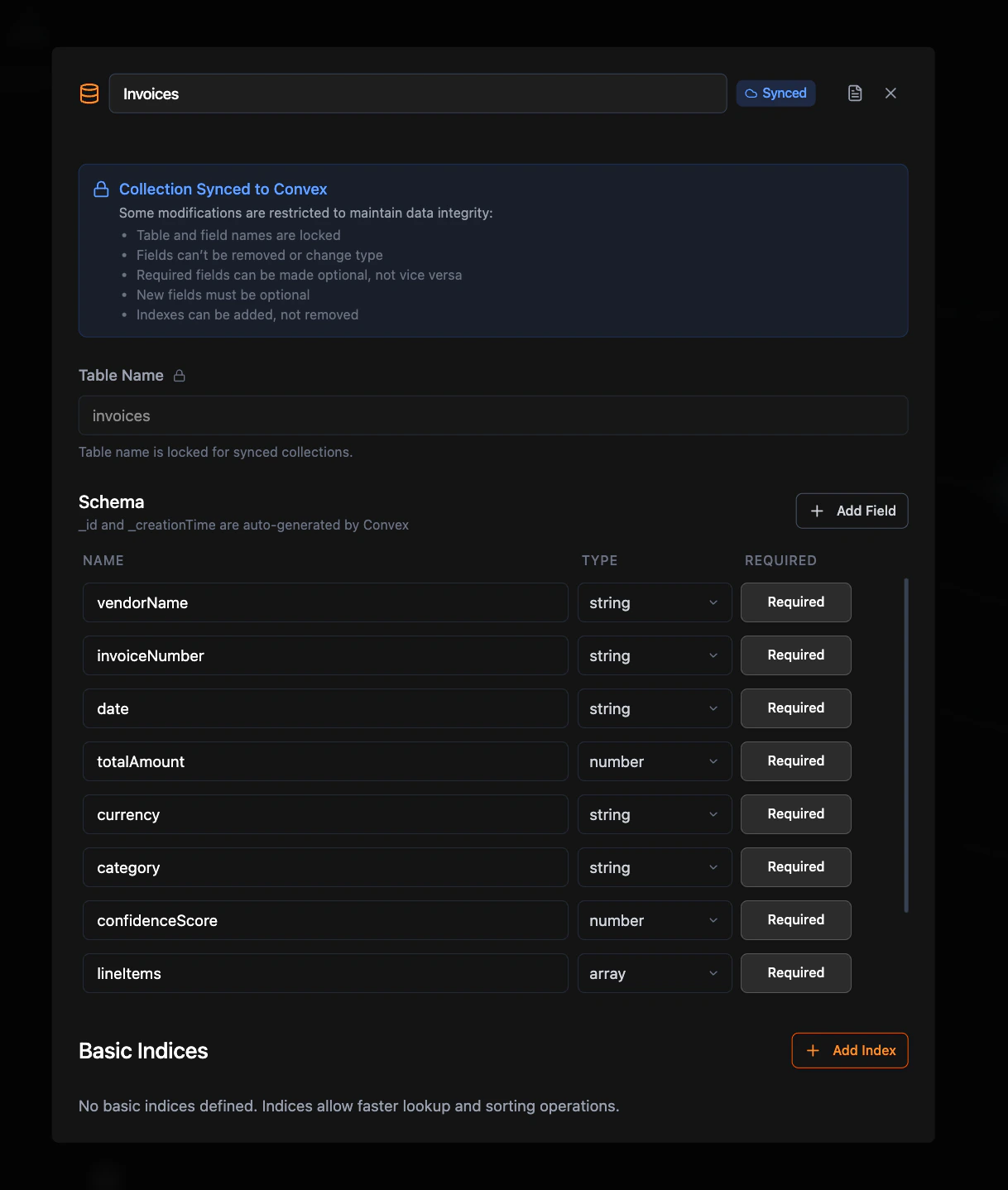 Collection nodes define schemas only; they don't connect to other nodes. Other nodes reference collections by name.
## Required Configuration
### Table Name
The name of your database table (e.g., `users`, `products`, `orders`)
### Schema Fields
At least one field beyond the auto-generated `id` field. Each field needs:
* **Field Name:** Non-empty identifier
* **Field Type:** Select at least one data type
* **Required/Optional:** Must be explicitly set
## Optional Configuration
### Indexes
You can add **Basic Indexes** to speed up queries on specific fields. Each index is configured with a name and one or more fields from your schema.
Basic indexes allow faster lookup and sorting operations on the selected fields. Field order matters when configuring multi-field indexes.
## How to Use
1. **Create Collection Node.** Define your table schema.
2. **Reference by Name.** In Query/Mutation nodes, set the Collection field to your table name.
3. **No Direct Connections.** Collection nodes don't connect to other nodes.
## Related Nodes
Read data from collections
Create, update, delete collection data
Collection nodes define schemas only; they don't connect to other nodes. Other nodes reference collections by name.
## Required Configuration
### Table Name
The name of your database table (e.g., `users`, `products`, `orders`)
### Schema Fields
At least one field beyond the auto-generated `id` field. Each field needs:
* **Field Name:** Non-empty identifier
* **Field Type:** Select at least one data type
* **Required/Optional:** Must be explicitly set
## Optional Configuration
### Indexes
You can add **Basic Indexes** to speed up queries on specific fields. Each index is configured with a name and one or more fields from your schema.
Basic indexes allow faster lookup and sorting operations on the selected fields. Field order matters when configuring multi-field indexes.
## How to Use
1. **Create Collection Node.** Define your table schema.
2. **Reference by Name.** In Query/Mutation nodes, set the Collection field to your table name.
3. **No Direct Connections.** Collection nodes don't connect to other nodes.
## Related Nodes
Read data from collections
Create, update, delete collection data