> ## Documentation Index
> Fetch the complete documentation index at: https://docs.vibeflow.ai/llms.txt
> Use this file to discover all available pages before exploring further.
# Mutation Node
> Create, update, and delete data in your database collections
## Overview
The **Mutation Node** modifies data in your database collections. Use it to create new records, update existing ones, or delete data.
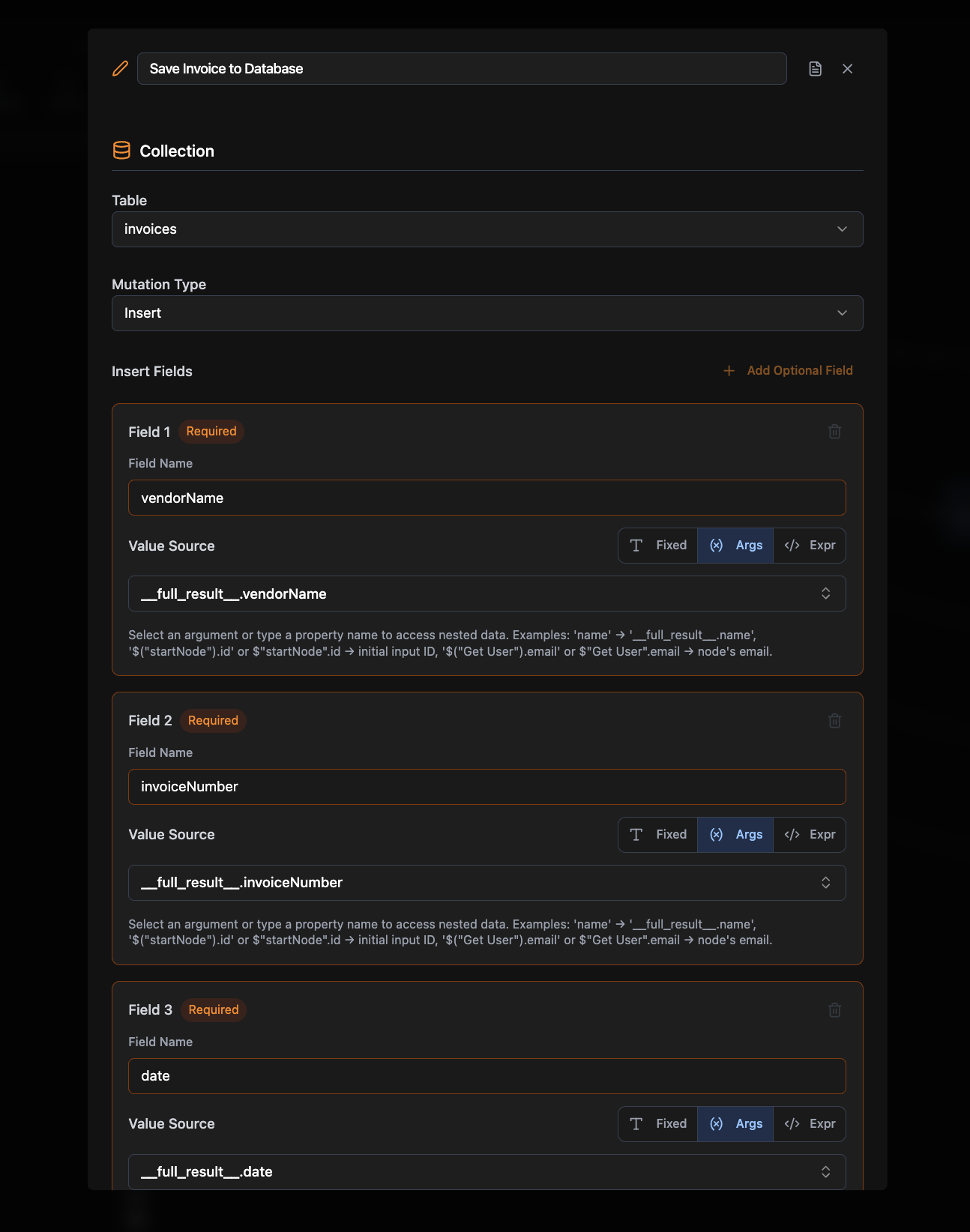 ## Required Configuration
### Collection Name
The name of the collection/table to modify (e.g., `users`, `products`)
### Mutation Type
Select one of:
* **Insert:** Create new records
* **Patch:** Update specific fields on an existing record
* **Delete:** Remove records
### Type-Specific Data
Each mutation type requires specific configuration:
* **Insert**: At least one field mapping (field name + value + mode)
* **Patch**: A **Document ID** to identify which record to update, plus at least one patch field (field name + value + mode). The Document ID supports Fixed, From args, and Expression value modes.
* **Delete**: A **Delete Scope** to choose between deleting a single document or an entire table
## Optional Configuration
* **Requires Auth:** Whether this node needs user authentication (default: false)
## Connections
Mutation nodes **produce data** (mutation results) and can connect to:
* Business logic nodes (Query, Agent)
* Frontend Element nodes (output results)
## Common Use Cases
**User Management.** Create new accounts, update profiles, or delete users.
**Content Management.** Add, edit, or remove posts, products, or other content.
**Data Processing.** Save form submissions, update preferences, or process transactions.
**Bulk Operations.** Create or update multiple records from imported data.
### Example Workflows
* **User Registration**: Frontend Element → If-Else (validation) → Mutation (Insert User) → Return Results
* **Profile Update**: Frontend Element → Mutation (Patch User) → Return Results
* **Data Import**: Frontend Element → For Loop → Mutation (Insert Records) → Return Results
## Related Nodes
Define the database schema that mutations modify
Read data from collections
## Required Configuration
### Collection Name
The name of the collection/table to modify (e.g., `users`, `products`)
### Mutation Type
Select one of:
* **Insert:** Create new records
* **Patch:** Update specific fields on an existing record
* **Delete:** Remove records
### Type-Specific Data
Each mutation type requires specific configuration:
* **Insert**: At least one field mapping (field name + value + mode)
* **Patch**: A **Document ID** to identify which record to update, plus at least one patch field (field name + value + mode). The Document ID supports Fixed, From args, and Expression value modes.
* **Delete**: A **Delete Scope** to choose between deleting a single document or an entire table
## Optional Configuration
* **Requires Auth:** Whether this node needs user authentication (default: false)
## Connections
Mutation nodes **produce data** (mutation results) and can connect to:
* Business logic nodes (Query, Agent)
* Frontend Element nodes (output results)
## Common Use Cases
**User Management.** Create new accounts, update profiles, or delete users.
**Content Management.** Add, edit, or remove posts, products, or other content.
**Data Processing.** Save form submissions, update preferences, or process transactions.
**Bulk Operations.** Create or update multiple records from imported data.
### Example Workflows
* **User Registration**: Frontend Element → If-Else (validation) → Mutation (Insert User) → Return Results
* **Profile Update**: Frontend Element → Mutation (Patch User) → Return Results
* **Data Import**: Frontend Element → For Loop → Mutation (Insert Records) → Return Results
## Related Nodes
Define the database schema that mutations modify
Read data from collections