

Overview
The Collection Node defines database table schemas. It specifies what data structure your tables will have, including field names, types, and validation rules.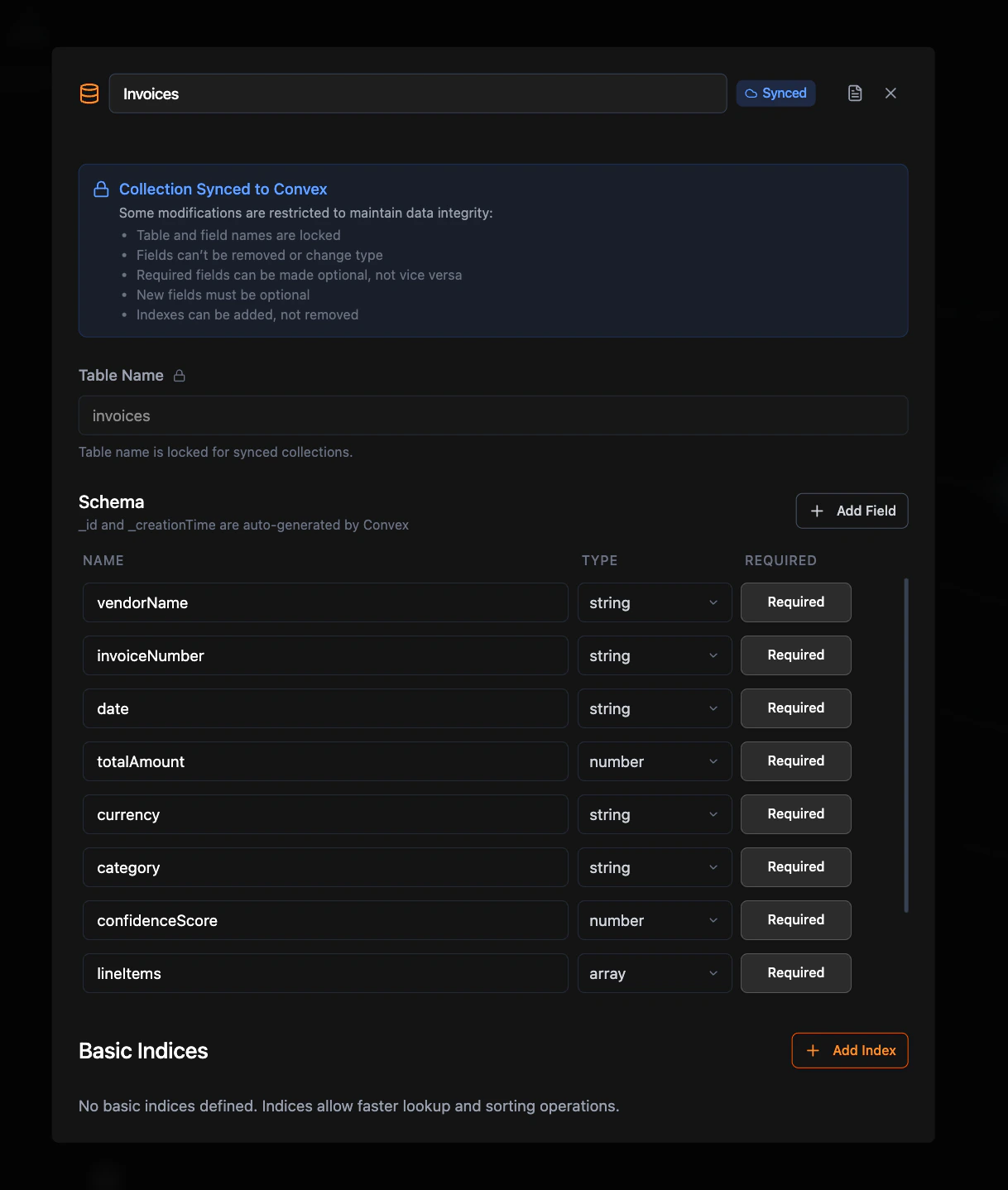
Required Configuration
Table Name
The name of your database table (e.g.,users, products, orders)
Schema Fields
At least one field beyond the auto-generatedid field. Each field needs:
- Field Name: Non-empty identifier
- Field Type: Select at least one data type
- Required/Optional: Must be explicitly set
Optional Configuration
Indexes
You can add Basic Indexes to speed up queries on specific fields. Each index is configured with a name and one or more fields from your schema. Basic indexes allow faster lookup and sorting operations on the selected fields. Field order matters when configuring multi-field indexes.How to Use
- Create Collection Node. Define your table schema.
- Reference by Name. In Query/Mutation nodes, set the Collection field to your table name.
- No Direct Connections. Collection nodes don’t connect to other nodes.
Related Nodes
Query Node
Read data from collections
Mutation Node
Create, update, delete collection data