

Overview
The Edit Fields Node is your data transformer. It takes data from the previous node and lets you reshape, enrich, or filter it before sending it to the next node. Perfect for mapping API responses to database schemas, adding timestamps, flattening nested objects, or any scenario where you need to modify data structure.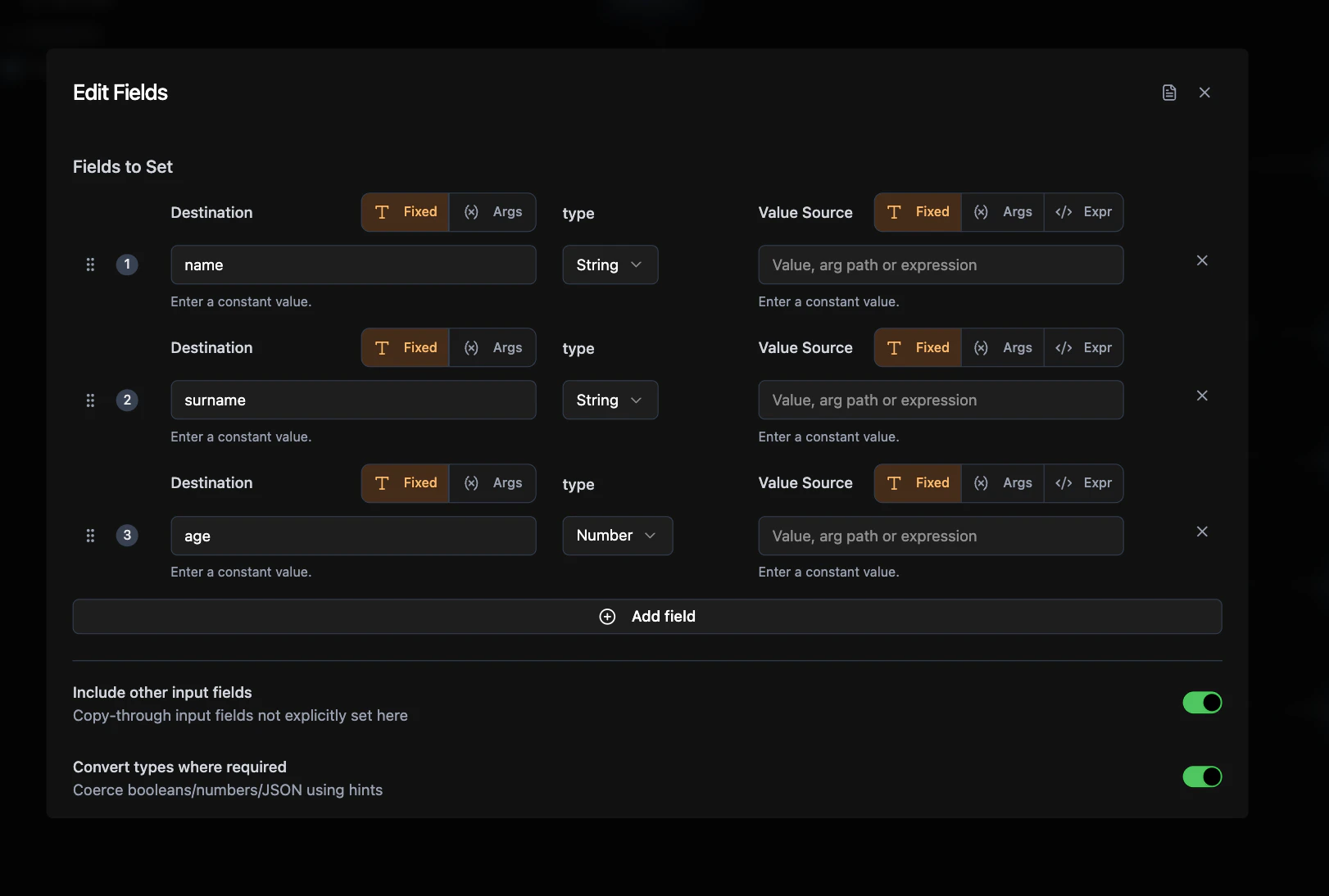
Required Configuration
- Label: Display name for the node
- Fields: The field transformations to apply (at least one required)
- Field Name: Output field name (static or dynamic)
- Field Value: Value to assign (from input data or fixed value)
- Value Type: Data type: Auto, String, Number, Boolean, JSON
Optional Configuration
- Include Other Input Fields: Merge transformed fields with original input (default: true)
- Requires Auth: Whether this node needs user authentication (default: false)
- Convert Types: Auto-convert between compatible types (default: true)
How It Works
The Edit Fields node receives data from the previous node and transforms it according to your field mappings. You can:- Transform existing fields: Rename or modify field values
- Add new fields: Include computed values, timestamps, status flags
- Filter fields: Only include specific fields in the output
- Flatten data: Extract nested fields to top level
- Enrich data: Combine input data with additional fixed values
Field Configuration
Value Sources
- Fixed: Static values you set directly
- From args: Dynamic values from the previous node’s output
"__full_result__": Reference the entire input"user.name": Access nested fields with dot notation"items[0].id": Access array elements with indices
Include Other Fields
- True: Merge your transformed fields with all original input fields
- False: Only output the fields you explicitly define (useful for filtering)
Connections
Edit Fields nodes fit anywhere in your workflow: Input from: Any node type that produces data Output to: Any node type that consumes data:- Mutation nodes (save transformed data)
- Query nodes (use as search parameters)
- HTTP Request nodes (format API payloads)
- Agent nodes (prepare AI input)
- If-Else nodes (conditional logic on transformed data)
- Email/Resend nodes (send formatted notifications)
- Return nodes (end workflow with transformed output)
- Other Edit Fields nodes (chain transformations)
- For Loop nodes (batch process transformed data)
Common Use Cases
API Response Mapping: Transform external API data to match your database schema Data Enrichment: Add timestamps, user IDs, or computed fields to existing data Field Filtering: Extract only needed fields from complex objects Data Flattening: Convert nested objects to flat structure for storage Format Conversion: Prepare data for specific node requirementsExample Workflows
- User Registration: Form Data → Edit Fields (add timestamp) → Mutation (save user)
- API Integration: HTTP Request → Edit Fields (map response) → Mutation (store data)
- AI Processing: Agent Response → Edit Fields (structure output) → Display Results
Related Nodes
Mutation Node
Save your transformed data
Query Node
Use transformed data as search parameters
If-Else Node
Add conditional logic to transformed data
Agent Node
Prepare structured input for AI processing
HTTP Request Node
Format data for API calls
Email Node
Send formatted email notifications