

Overview
The For Loop Node allows you to iterate over arrays or lists of data and perform the same operation on each item. Perfect for batch processing, sending multiple emails, creating multiple records, or any scenario where you need to repeat an action for each item in a collection.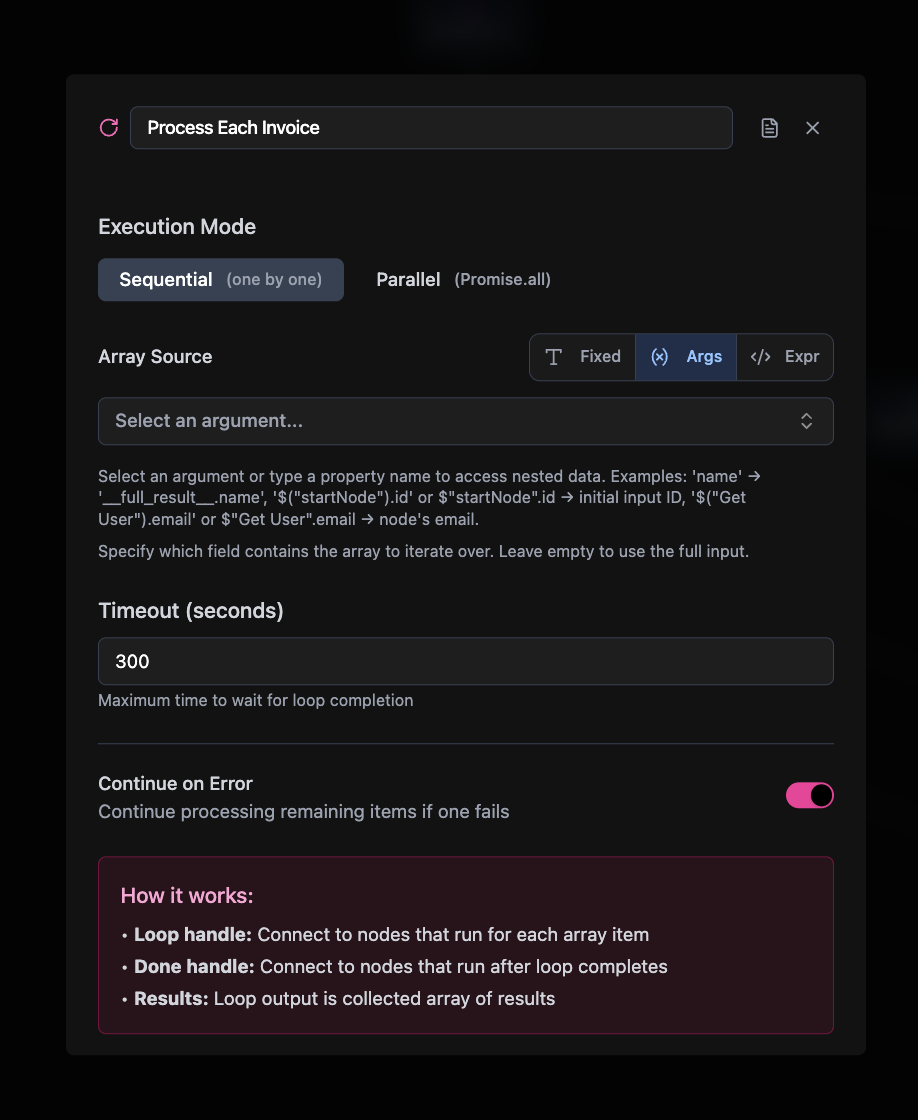
Required Configuration
- Label: Display name for the node
- Loop Data Source: The array/list to iterate over:
- From args: Use data from previous node (most common)
- Fixed: Static array you define
Optional Configuration
- Requires Auth: Whether this node needs user authentication (default: false)
- Batch Size: Process items in batches rather than one by one
How It Works
The For Loop node takes an array from the previous node and executes the connected workflow for each item in the array. Each iteration provides:- Current item data: Accessible via your loop variable name
- Loop index: The current position in the array
- Loop context: Information about the iteration
Data Access in Loops
Inside the loop, each iteration receives one item from the array:__full_result__: Each iteration receives one complete item from the array
${args.fieldName} pattern or ${__full_result__} to reference the current iteration’s data.
Connections
For Loop nodes have two output handles for different purposes: Input from: Any node type that produces array data Loop Handle (Item Processing): Connects to any node type to process individual items Done Handle (Result Aggregation): Connects to any node type to process all collected resultsCommon Use Cases
Batch Data Processing. Create or update multiple database records from a list. API Integration. Make individual API calls for each item in a dataset. Content Generation. Generate content for multiple items using AI. File Processing. Process multiple files or documents. User Notifications. Send notifications to multiple users.Related Nodes
Query Node
Fetch arrays of data to loop over
Mutation Node
Perform operations on each loop item
If-Else Node
Add conditional logic within loops
Edit Fields Node
Transform data for each iteration