

Overview
The Query Node fetches data from your database collections. Use it to retrieve user information, load products, or get any data your application needs.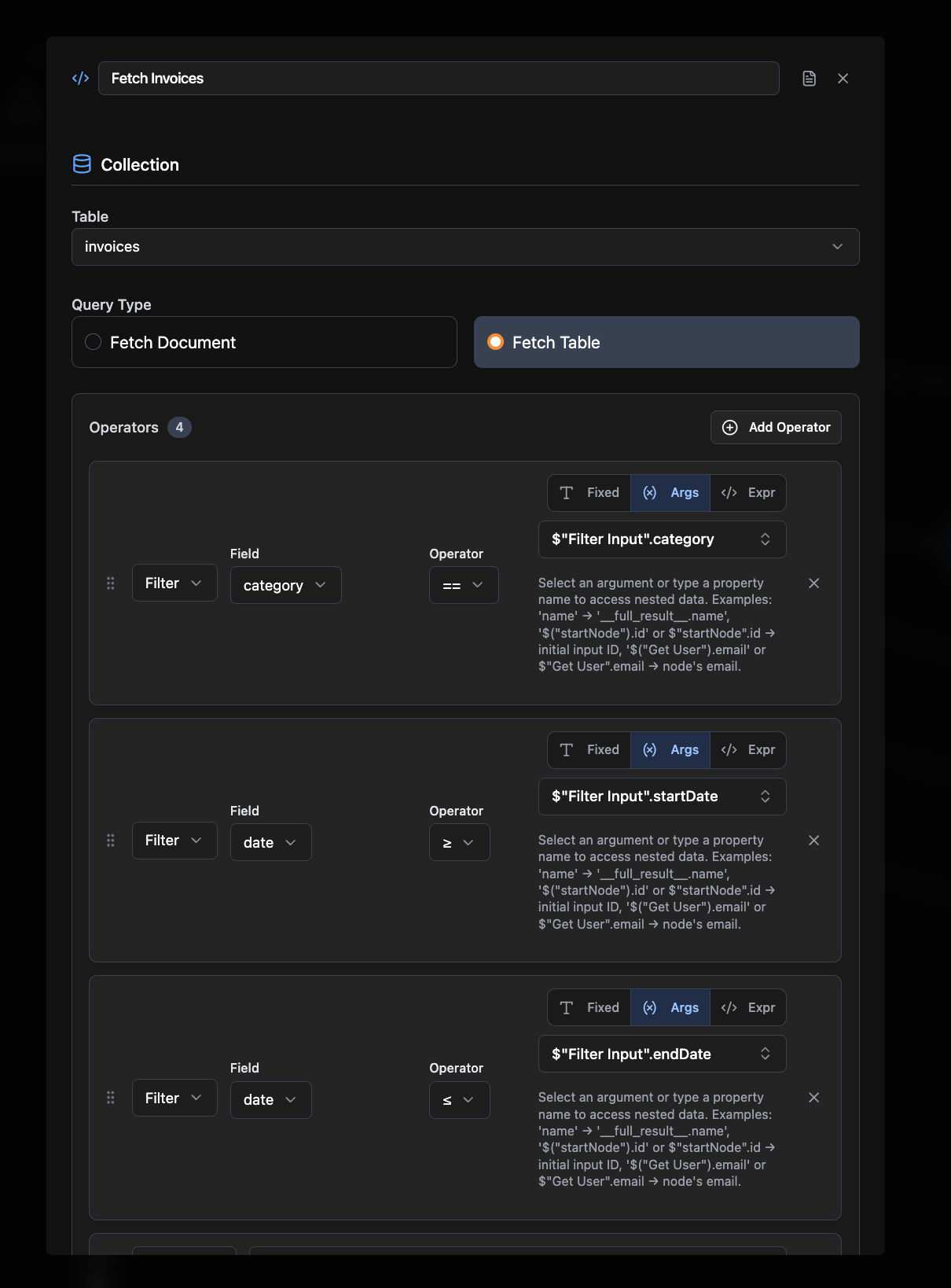
Required Configuration
Collection Name
The name of the collection/table to query (e.g.,users, products)
Query Type
Select either:- Fetch Document: Get a single record
- Fetch Table: Get multiple records
Optional Configuration
- Requires Auth: Whether this node needs user authentication (default: false)
- Operators: Add filters, sorting, and indexing
- Selectors: Control how documents are returned from a Fetch Table query:
collect: Return all matching documentsfirst: Return only the first matching documenttake: Return a limited number of documents (specify a count)paginate: Return documents in pages (specify a page size)unique: Return a single unique document
Connections
Query nodes produce data and can connect to:- Business logic nodes (Mutation, Agent)
- Frontend Element nodes (output results)
Common Use Cases
Data Display. Load user profiles, product listings, or dashboard information. Search & Filter. Find specific records based on user input or criteria. Data Validation. Check if records exist before processing. Reporting. Fetch data for analytics, reports, or summaries.Example Workflows
- User Dashboard: Frontend Element → Query User Data → Return Results
- Product Search: Frontend Element → Query Products → Edit Fields (filter) → Return Results
- Data Validation: Frontend Element → Query Existing Records → If-Else → Mutation
Related Nodes
Collection Node
Define the database schema that queries reference
Mutation Node
Create, update, or delete data